
Does your Shopify blog bring visits but no orders? A blog sells when its posts start from your products, answer the question people ask right before buying, and put those products in the text. I’ll show you the 6 steps I use on my own store, with the best Shopify blog apps and internal linking apps that do the heavy lifting.
Here are the 6 steps to create a Shopify blog that drives sales:
- Start from your collections
- Borrow your competitors’ topics
- Pick a format close to the purchase
- Cover everything your competitors explain
- Put your products inside the post
- Link the post to your product pages
Can a Shopify blog still drive sales in 2026?
Yes, if the post speaks to someone who is about to buy: out of about 14 billion pages studied by Ahrefs, 96.55% get no traffic from Google. And a visit is not an order, because someone searching how to do something wants to learn, while someone searching which product to pick is ready to buy. A blog post that sells answers the second question.
AI assistants cite these buying posts first: in Ahrefs’ study of 750 prompts asked to ChatGPT, “best X” lists made up 43.8% of all the pages cited as sources. A store can write those lists with its own products, prices and photos. Ahrefs measures citations, not sales: the sale itself happens on your post.
Step 1: Start from your collections
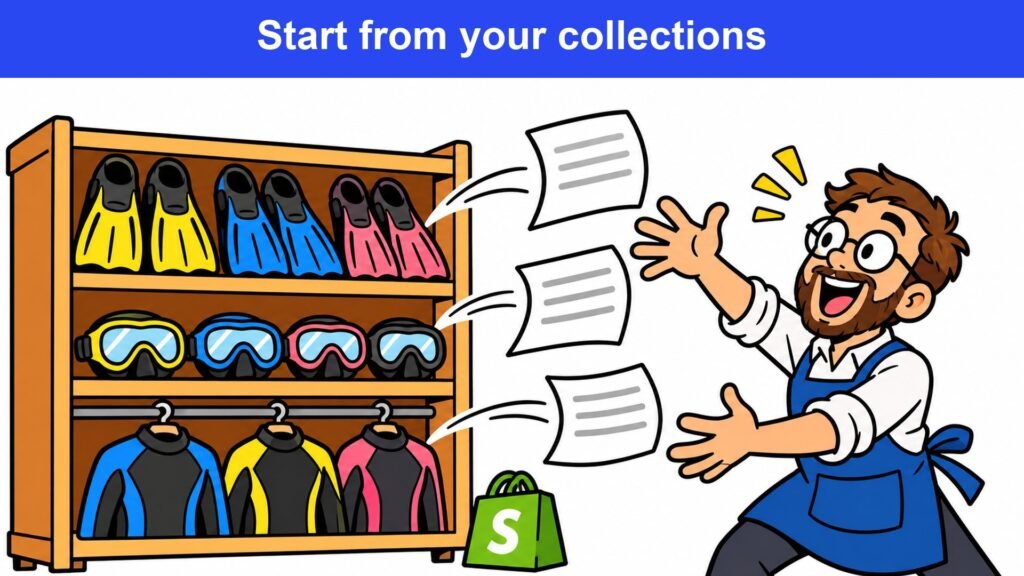
Every collection in your store already holds several blog topics: the questions a customer asks before buying from that shelf. Which one should I pick, is this model worth it, which of these two should I buy: each question becomes a post.
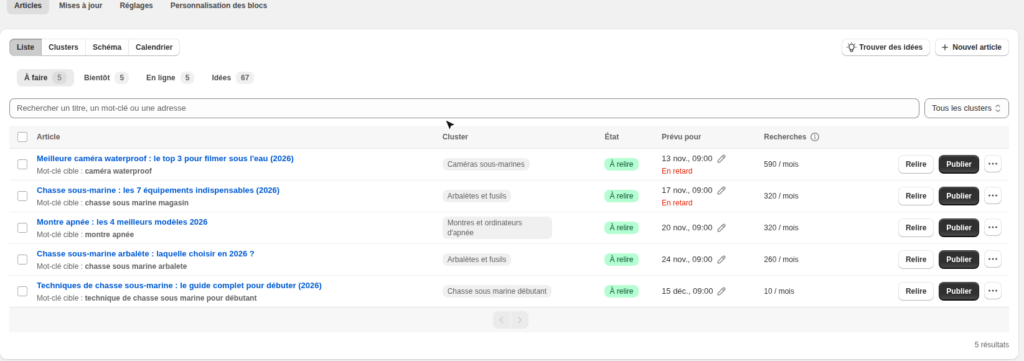
Here are the topics I pulled from four collections of my spearfishing store, with their monthly searches in France:
- “Top 5 best spearfishing crossbows”: 210
- “Beuchat Maxlux S mask: review”: 260
- “C4 carbon fins: which model to choose?”: 170
- “Top 5 best 7 mm wetsuits”: 170
These volumes come from the ideas in SEO Alpin’s Blog tab, checked on November 11, 2026: each idea arrives with its target keyword and its monthly searches. The store is French, so the titles were French too, and the method works the same in any language.
Step 2: Borrow your competitors’ topics
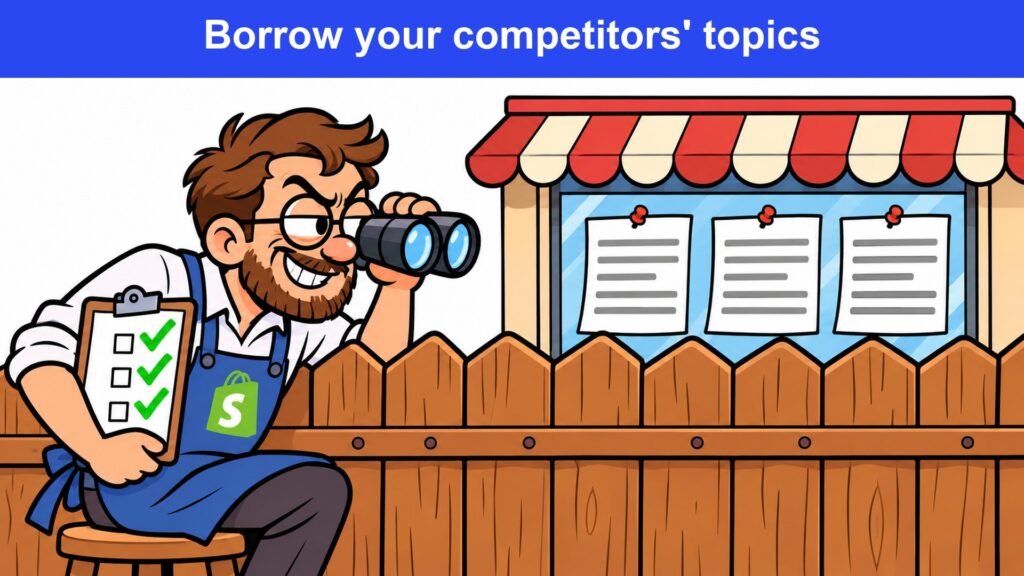

Your competitors’ blogs give you the list of topics you are missing: list the titles of their posts and tick the ones you already have. On spearfishing guns, the blog of a competing store covered six topics when mine covered one, “how to choose your speargun”.
Here is how to find your competitors’ blog topics:
- Open the blog of a direct competitor
- List the titles of its posts
- Tick the ones you already cover
- Keep the ones where you sell the product
The last filter matters more than the list: a topic with nothing to sell brings visits without orders. My store sells the Subea SPF 900 carbon gun, so a post about carbon spearguns has something to sell, while a post about a model I don’t stock would send the reader to buy it elsewhere.
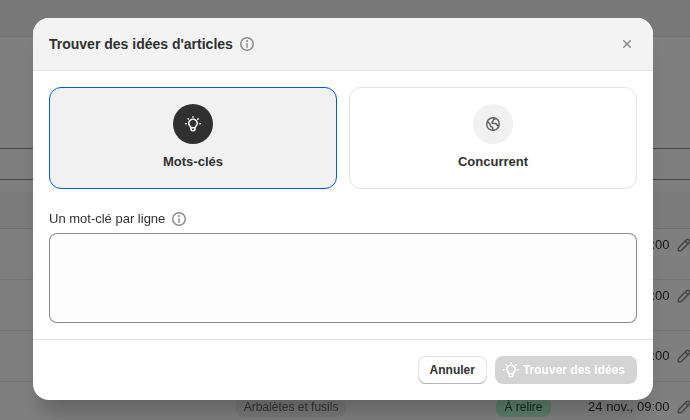
In SEO Alpin’s Blog tab, the Find ideas button starts from your keywords or from a competitor: you enter its site, and the app suggests the topics it ranks for.
Step 3: Pick a format close to the purchase
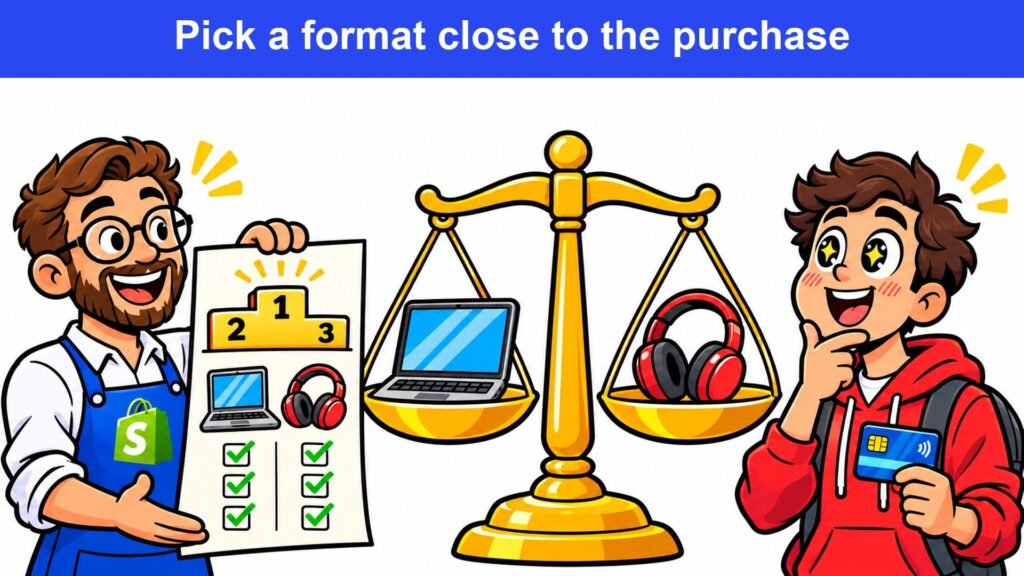
Four blog post formats make people buy, because they answer a question asked right before the purchase: the reader arrives already choosing. The same topic can give a post that sells or a post that sells nothing, and the format makes the difference.
Here are the 4 Shopify blog post formats that sell:
- Top or Best: several products ranked
- Review or Alternatives: one product to confirm
- X vs Y: two products you sell
- Best X for a use: one use, one post
Top: the top 6 spearfishing guns on my store ranks 6 guns sold between €64.99 and €269.99, and each gun name links to its product page. Review: someone who types “SEAC Screen review” has already picked that freediving computer and wants a reason to buy it.
Alternatives: the post works when your product is out of stock or when you don’t sell the brand people search for. X vs Y: “Crossbow or pneumatic speargun: which one to choose?” compares two products you sell, so the sale happens on your store whatever the choice.
Best X for a use: a 50 cm gun for hole hunting, 75 cm for ambush, 90 cm for the drift. Each use gives a narrower post than “best speargun”, so less competition and closer to the purchase.
Step 4: Cover everything your competitors explain

A hesitant reader wants a page that answers everything: if a part is missing, they finish reading on your competitor’s site. What is missing is what your competitors explain and your post doesn’t.
Here is how to find what your blog post is missing:
- Search your post’s keyword on Google
- Open the top 2 or 3 results
- List the subheadings of each page
- Tick the ones your post already covers
- Add a section for each empty box
On November 11, 2026, my top 6 spearguns covered gun length by hunting technique, like Decathlon’s guide and a competitor’s buying guide, but neither safety nor gun maintenance, which both of them explain. Those two sections can be added without rewriting the rest of the post.
Keep the post up to date too: prices, out-of-stock products, new models. In the same Ahrefs study, 79.1% of the 1,100 “best X” lists cited by ChatGPT had been updated within the year.
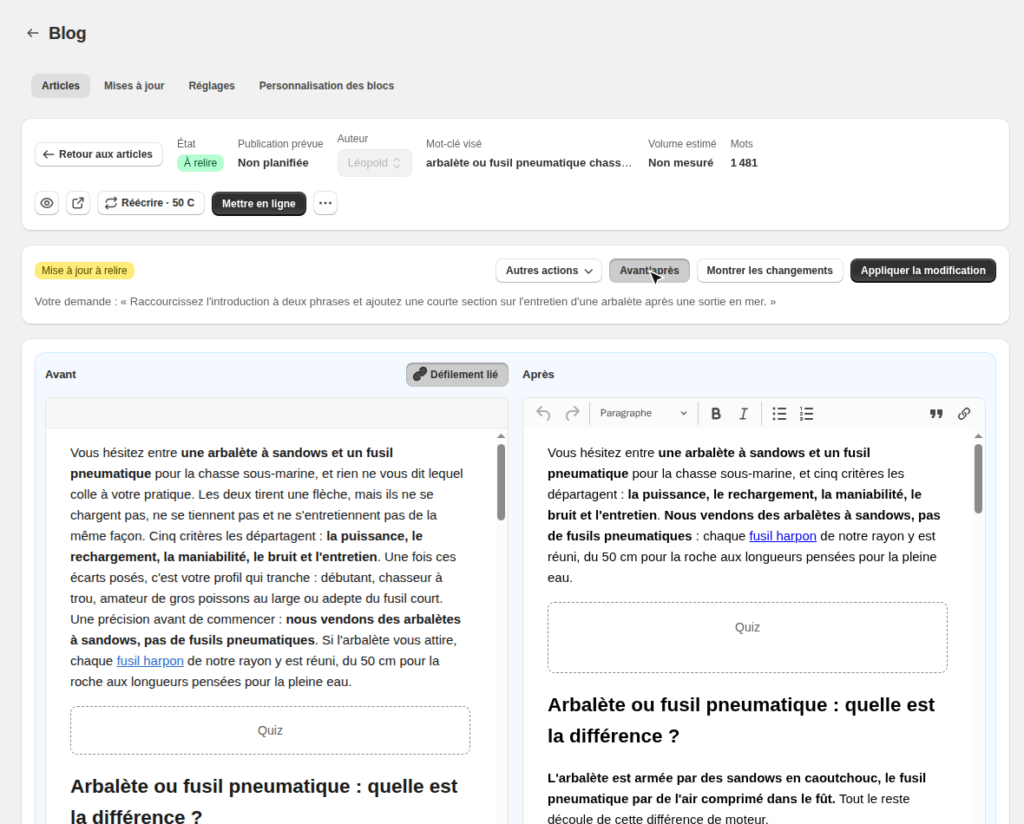
The Updates tab of SEO Alpin’s Blog takes a one-sentence request, for example “add a short section on cleaning a crossbow after a sea trip”. It then shows the post before and after, side by side, so you review it before applying.
Step 5: Put your products inside the post
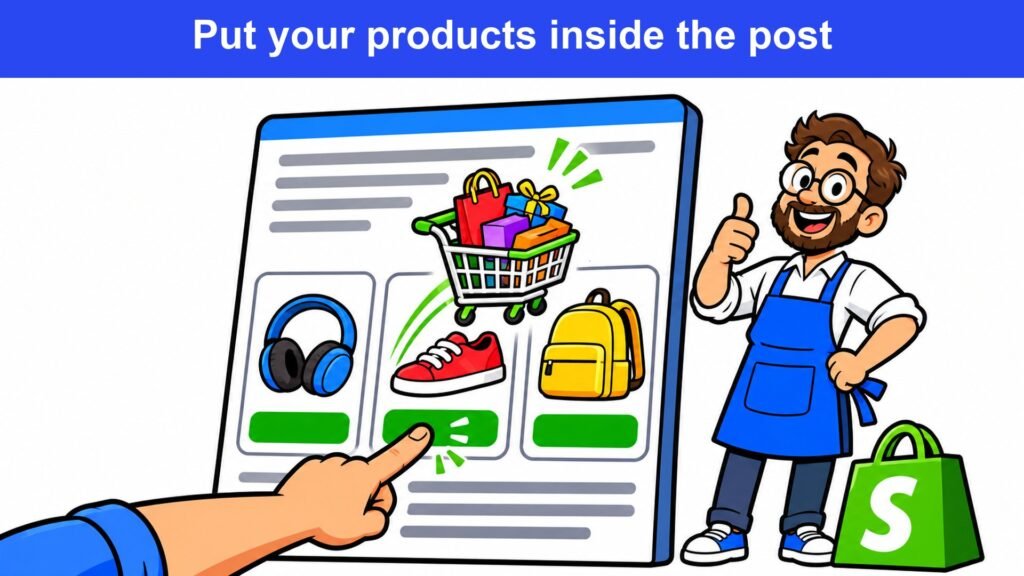
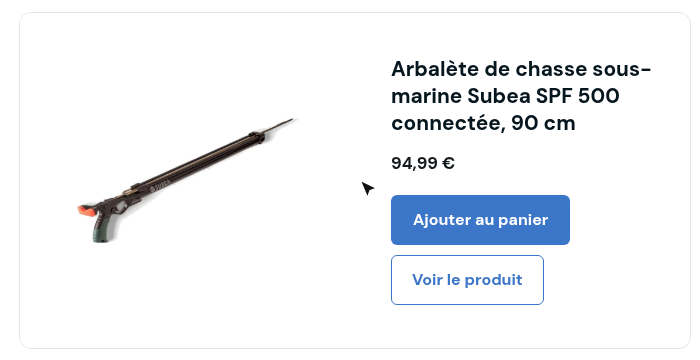
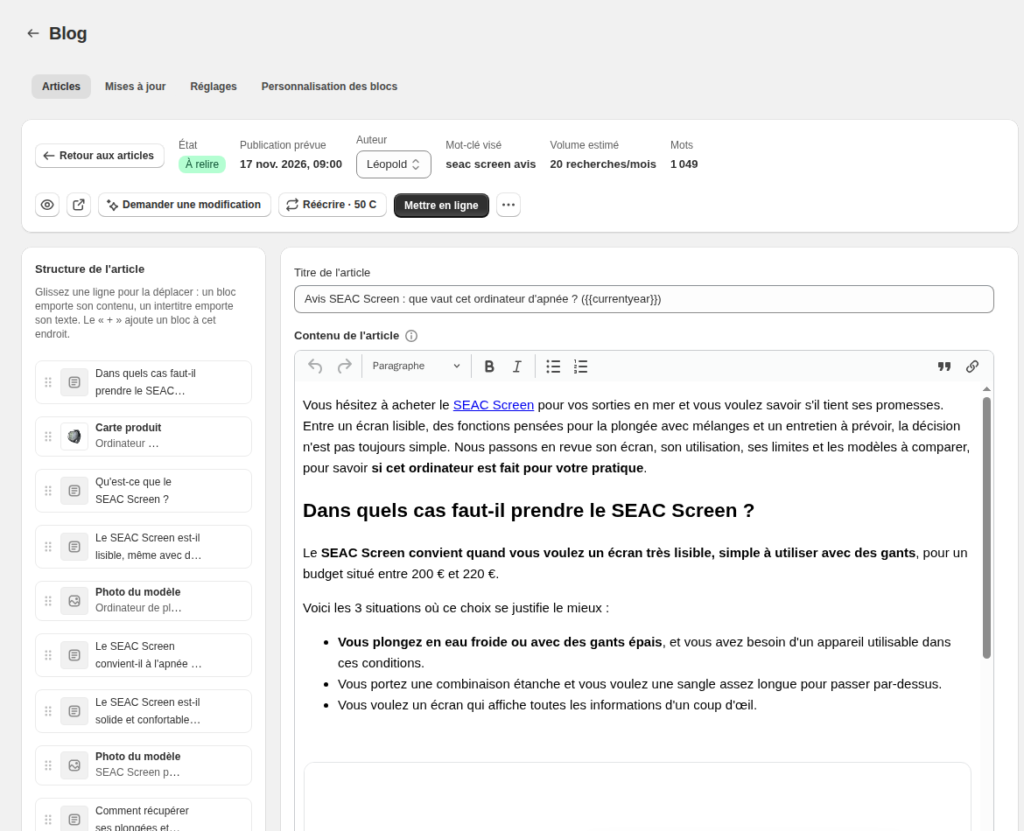
A post sells when the reader can add a product to the cart without leaving it: a product card with its price and its button, right when they make up their mind. In my top 6, the card of the Subea SPF 500 connected 90 cm crossbow shows its price, €94.99, and an Add to cart button.
Here are the blocks that make people buy from a Shopify blog post:
- A product card with an Add to cart button
- A comparison table of the products cited
- A photo of the model next to its paragraph
- A quiz that recommends a product to the reader
Claude or ChatGPT write good text, but they don’t place these blocks in a Shopify post on their own: they are trained neither for SEO nor for your store’s conversion. Connected to SEO Alpin through its MCP server, Claude reads your products and collections instead of guessing them.
In SEO Alpin’s Blog, click New article, give a title and the target keyword: the post comes out with your products already in it, as cards, a table and a quiz. You review it, then you publish it. The AI content generation page shows what else the app writes for you.
Step 6: Link the post to your product pages
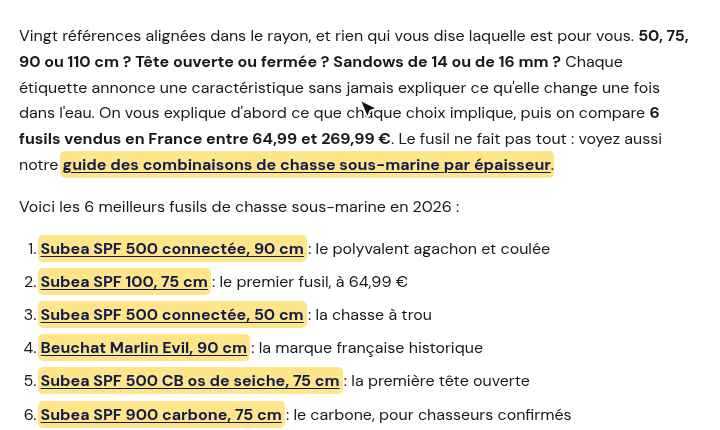
Every product named in the post should lead to its product page: the reader who decides clicks the name and lands where they buy. My top 6 spearguns links to its 6 product pages and to the wetsuit guide of the same store.
Here is how to connect a Shopify blog post to the rest of your store:
- Link each product named to its product page
- Link the post to the collection of that shelf
- Add a link from 2 or 3 related posts
- Revisit your old posts that show no product
My wetsuit guide, for example, links back to the speargun guide: “if your gun is still to be chosen, start with our speargun guide”. SEO Alpin’s internal linking suggests these links page by page, with the sentence where they fit.
Shopify blog FAQ
How do I create a blog on Shopify?
The blog is built into your Shopify admin, no app needed:
- Go to Content, then Blog posts
- Click Manage blogs
- Click Add blog
- Give it a title, then save
The Shopify Help Center then explains how to add the blog to your store’s menu.
Are blogs still worth it in 2026?
Yes, and AI assistants read their buying posts: “best X” lists remain the page type ChatGPT cites most as a source, according to Ahrefs. A Shopify blog can publish them about its own products, which a site without a catalog cannot do.
How do I know if a blog post drives sales?
Look at the sales from visits that landed on the post, not only its visits. In Shopify, the Analytics reports break sessions down by landing page, and the Articles tab of SEO Alpin’s Blog sums up the visits, views and sales of your posts.
Is Shopify good for a blog?
Yes, for a store, because product cards, the Add to cart button and links to your product pages work in the same store, on the same domain. A separate WordPress blog means running a second site and sends the reader elsewhere to buy.
Can I write my blog posts with ChatGPT or Claude?
Yes for the first draft, as long as you check everything: an assistant without access to your data knows neither your prices nor your stock. Check every product name, price and figure, then add the product cards and the links to your product pages.
Conclusion: a Shopify blog that sells
A Shopify blog that sells starts from your products: it answers the question asked right before buying, puts your products in the text, and grows every time your competitors go further. Start with a single collection, find three topics for it, and publish the first one this week.
To go further, compare the best Shopify SEO apps, see how internal linking works in SEO Alpin, or try SEO Alpin for free.